example.test
DNSwwwAPI
 Illustration of a working environment
Enrolment opening soon
Git and version control
Understand Git from your first commit to collaboration and recovery. See what enters history, how to compare changes and when to use merge, rebase, restore or revert. Practice conflicts, publishing and clear releases while understanding each decision's effect.
PLN 249planned price including tax
In your browser · No installation · Tutor and narration
Open your browser. Start learning.
Do not spend your first evening configuring an environment. The application, tools and task context are in one place. You do not need Docker, a VPN, a virtual machine or paid software.
A virtual tutor walks you through the example and highlights important parts of the application, code or tool. Connect the instruction to what is happening on screen.
Narration explains the mechanism, decision and result. Pause the guidance, return to an earlier step and work through it at your own pace.
Take over in the exercise: change data, run a test or make a decision. Compare the result and improve your solution using the explanation.
One environment, without switching between a video and a local installation. Tools fit the topic: from HTTP requests and code to a terminal, calculator or document. Practice in simulators and prepared cases, without attacking other people's systems.
What will you be able to do?
Understand the working file, index, commit and remote repository. This supports decisions even when using a GUI.
You are unsure what will enter the next commit.
Compare the correct layers and prepare a commit containing only the intended change.
A conflict leads to file copying or guesswork.
Explain the conflict's cause and check final content and history after integration.
Every undo operation seems likely to lose work.
First identify the layer and an available recovery point. Then verify the operation's effect and its impact on collaborators in the exercise.
Apply this reasoning to code, scripts and documentation instead of running undo commands without understanding their effects.
Connect each skill to a concrete work product. Return to explanations while you practice.
A syllabus backed by materials
See what makes up the syllabus: lessons, explanations, examples and exercises. The figures below describe different types of materials.
The figures describe the English-language source materials. The waiting list is for the planned Polish edition. These counts do not mean its translation is complete. Demonstration steps, examples and tasks are different units, not hours of video or counts of unique vulnerabilities.
Entry point
Available in Polish and English — you can switch language at any time. Command names, code snippets and standard identifiers remain in their original form.
How you learn
The tutor walks through an example and explains each decision. In the exercise, return to the context, check the result and improve your answer.
Goal, constraints and inputs. Know what you are testing and why.
Watch a demonstration with tutor commentary, step by step.
Work with data, a tool or a scenario. Compare the result with your expectation.
Justify your decision and understand its limitations. Return to anything that needs improvement.
Exercises use simulators and selected mechanisms that run in the browser. They do not require attacking other people's systems.
Planned syllabus
Each area develops a specific skill. Learn not only the topic but also the action and outcome that learning leads to.
Each topic includes a skill and a concrete exercise outcome.
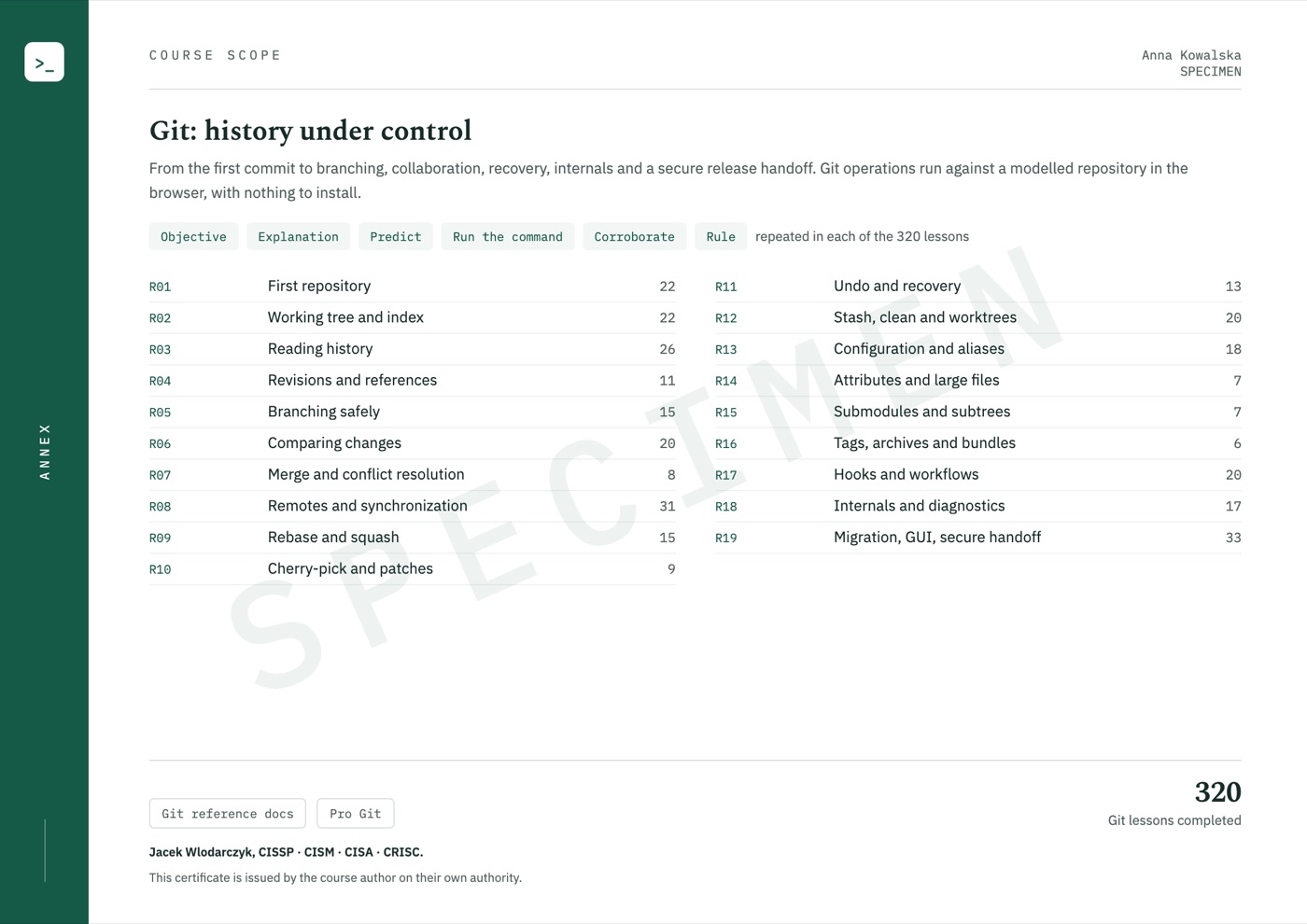
I want to join the listCreate a repository for ordinary project files, set author identity and read status. Select changes and prepare your first commit. Explain exactly what the saved version contains.
Tutor-guided exercise
Separate untracked files, working changes and staged changes. Test .gitignore and the difference between removal from the index and disk. Prepare only the intended part of your work.
Tutor-guided exercise
Use the log and authorship information to trace changes. Connect a commit message to its contents and place in history. Choose a view that answers a question about a specific project fragment.
Tutor-guided exercise
Learn branch names, object identifiers, parent relationships and revision ranges. Practice reading references and reflog entries. See why a branch name and the commit it points to are not the same thing.
Tutor-guided exercise
Create and switch branches while preserving current work. Check upstream relationships and the effects of renaming and deletion. Choose an action for the repository state, not just the intended goal.
Tutor-guided exercise
Choose two states to compare: working files, index or commits. Read the diff and check what will be saved or shared. Prepare a change small and clear enough for meaningful review.
Tutor-guided exercise
Merge branch histories and analyze a conflict's cause. Resolve it based on intended content, then check files and the history graph. Removing conflict markers alone does not replace assessing the result.
Tutor-guided exercise
Distinguish a local branch from information about a remote branch. Practice fetch, deliberate pull strategy selection and push. Learn force-with-lease conditions and the importance of team agreement.
Tutor-guided exercise
Analyze moving changes to a new base, combining commits and reordering your work. Check the resulting objects and content. Distinguish cleaning a private branch from rewriting shared history.
Tutor-guided exercise
Transfer selected changes between branches and trace patch exchange. Compare content equivalence with commit identity. Choose a transfer method suited to the goal and existing history.
Tutor-guided exercise
Choose restore, reset or revert for the layer you want to change. Find earlier state in the reflog and protect recovered work. Before cleanup, check which data may become harder to reach.
Tutor-guided exercise
Set aside unfinished work, review a cleanup preview and compare work in an additional worktree. Check which branch and directory own the state. Change context without accidentally mixing tasks.
Tutor-guided exercise
Read Git settings' origins and scopes. Prepare clear shortcuts and check their actual behavior. Distinguish personal convenience from rules the team process must enforce.
Tutor-guided exercise
Analyze attribute rules, content handling and Git LFS. Recognize the boundary between repository objects and externally stored files. Prepare requirements for reproducibly retrieving the project.
Case analysis
Compare ways to incorporate another project and specify its version. Trace dependency updates and additional trust boundaries. Explain the steps and sources needed to reconstruct the whole project.
Case analysis
Connect a release label to a specific project state. Compare tags, file archives and history-containing bundles. Prepare a package with verifiable provenance and scope.
Tutor-guided exercise
Learn hook uses and their nature as executable code. Analyze review processes, branch rules and change controls. Distinguish local automation from protection enforced for everyone.
Case analysis
Connect everyday commands to the objects and references they use. Read diagnostic material and choose a safe next step. Reference topics support understanding complex issues without presenting every tool as executed in the exercise.
Tutor-guided exercise
Translate GUI actions into Git operations and analyze migration-tool context. Consider secrets, signatures and release provenance. Finish with a description of repository state and collaboration rules.
Case analysis
In practice
Each case has context, a concrete action and an outcome. The goal is not to memorize a command but to understand why the result changed.
Stage selected files, read the diff and create a clear commit. Integrate another branch, resolve conflicts and check content and history before publishing.
Work productAn organized change with an explanation of integration and publication.
Identify the layer containing an unwanted change and choose an undo method. Find earlier state and prepare a reproducible repository or release package.
Work productA recovery plan, verified project state and handover description.
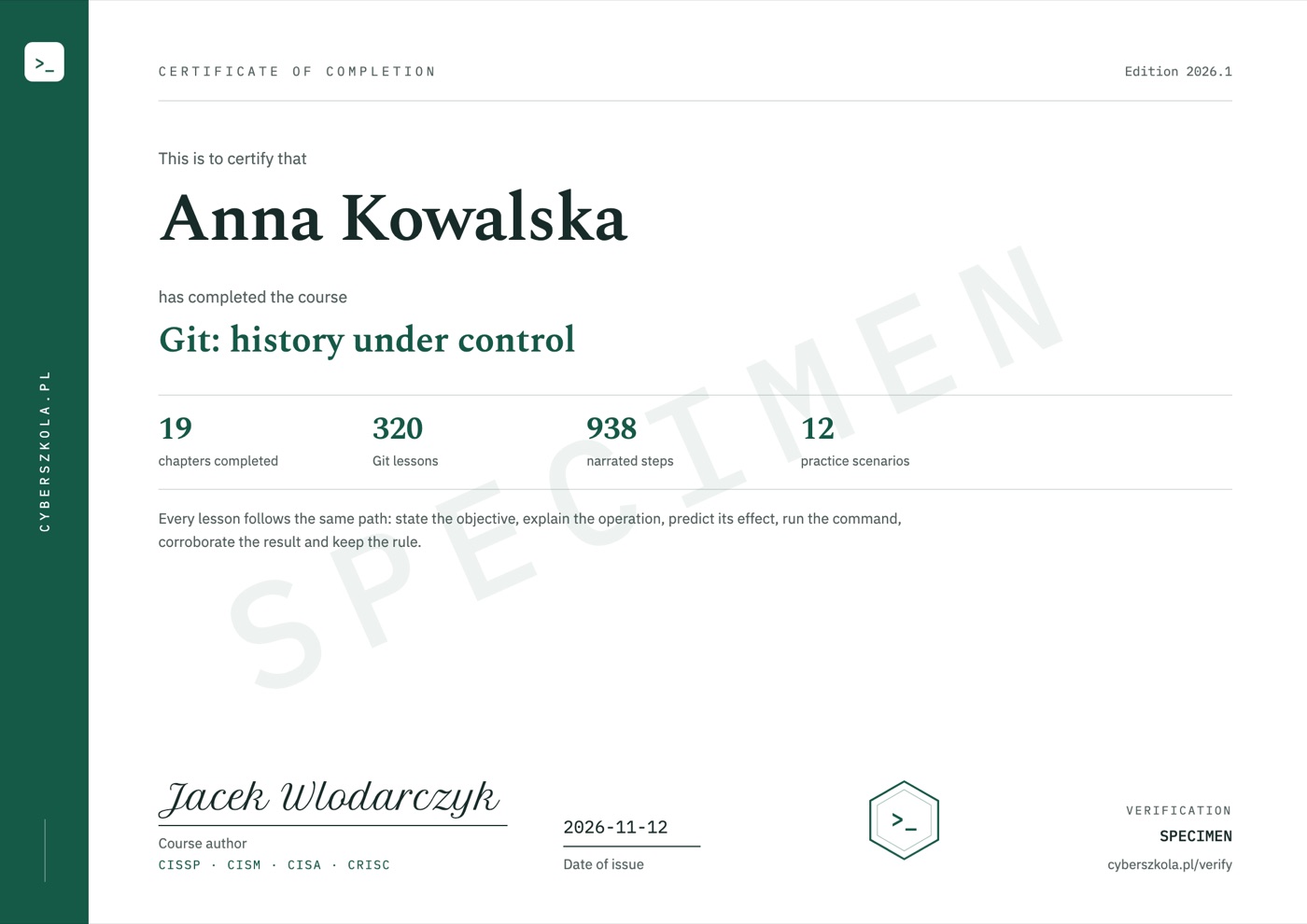
Certificate of completion
When you complete the course, the certificate is issued automatically and emailed to you. It shows your name, the date of issue and a unique code, and its second page lists the course scope.
Code verification: cyberszkola.pl/verify
Upcoming standalone course
Planned course price
Polish edition · Launch date not yet announced
Notify me at launchJoining is free. Before sales open, you will receive the date, full scope and purchase terms. We are not taking payments today. This is a separate interest list, not a place reservation or purchase.
For companies and teams
Compatible with LMS platforms including:
and other platforms that support e-learning standards.
Price for companies
Delivery into your company's own LMS from 50 licences.
Ask for a quoteWrite to [email protected]: the number of people, the courses you want and your LMS, if you use one.

Project author
Creator of Cyberwiedza, cyberszkola and AI SecLabs. In these courses, I connect explanations of mechanisms with practice, observation and decisions you need to justify.
Running a command is not enough. What matters is what its output confirms, what it does not confirm and what the next step should be.
More about the authorBefore joining
Yes. Understand the states and operations behind the buttons. Commands help check results precisely, but knowledge of the index, history and branches also applies to graphical interfaces.
Exercises use a prepared environment and repository-state model. First trace decisions' effects in training material, then choose an appropriate operation for your own work.
No. This is an upcoming course announcement and an interest list. Joining is not a purchase, a place reservation or a commitment to pay.
The launch date, price and access terms will be announced before sales open. The interest list is how we send that information.
The course is available in Polish and in English — you can switch language at any time, and lessons, exercise explanations and narration exist in both. Commands, code and tool names keep their original syntax, as used in everyday work.
No. All course exercises run in your browser on a computer with internet access. Training applications, terminals, editors and workshops are part of the platform. You do not install Docker, a virtual machine or a VPN, and you do not need paid external tools.
No. You work in an interactive environment. A virtual tutor highlights important elements, and narration explains the action and its result. Pause the lesson, return to earlier steps and run your own experiments. This guidance is built into the course, not individual consultation with a person.
No. You use training applications, simulators and prepared data. Learn the mechanism and its limitations in a safe environment. External resources are supplementary, not required to complete the exercises.
Yes, a certificate of completion. When you complete the course, you receive a certificate in English with a unique code that anyone can check at cyberszkola.pl/verify. It confirms completion of the course and is issued by the author; it is not an industry certification. We do not promise employment.
No. These are independently authored courses using public references and original cases. They do not replace licensed standards, accreditation or qualifications required in regulated industries.
Join the waitlist
Leave your email address. We will send you news of enrollment, the syllabus and first-edition terms. You will not need to keep checking this page.
Planned price: PLN 249 including tax